At a Glance
Sometimes you need a record of an external payment to balance an encounter without charging a patient again. This is particularly useful if your organization has recently transitioned to Athelas from another billing company.Here’s How to Do It
The short version:- Create available credits in the exact amount that was previously paid.
- Create a miscellaneous charge in that amount.
- Apply the credits you just created to that charge to balance it out.
Full Walkthrough
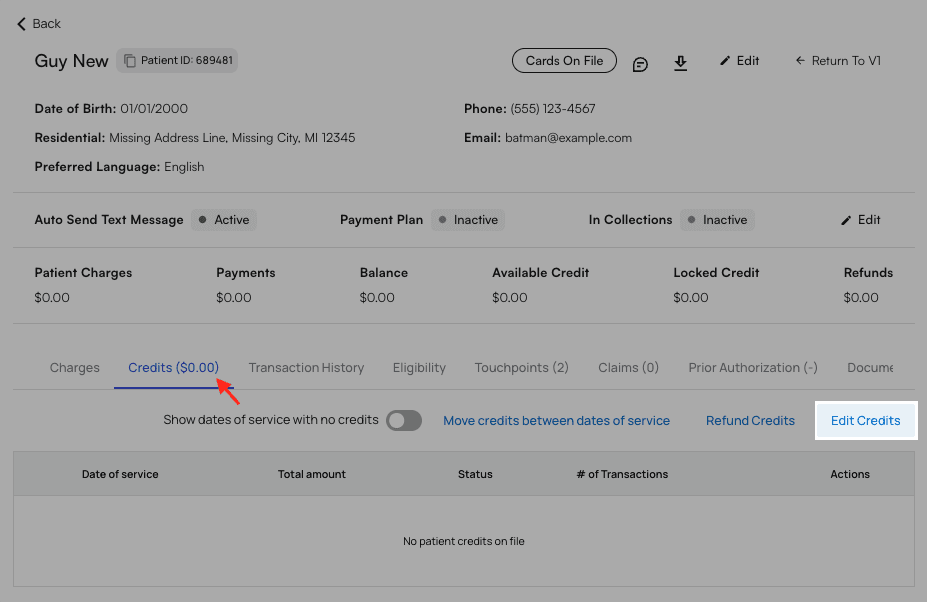
Navigate to the patient’s profile. Switch to the ‘Credits’ tab, then selectEdit Credits.
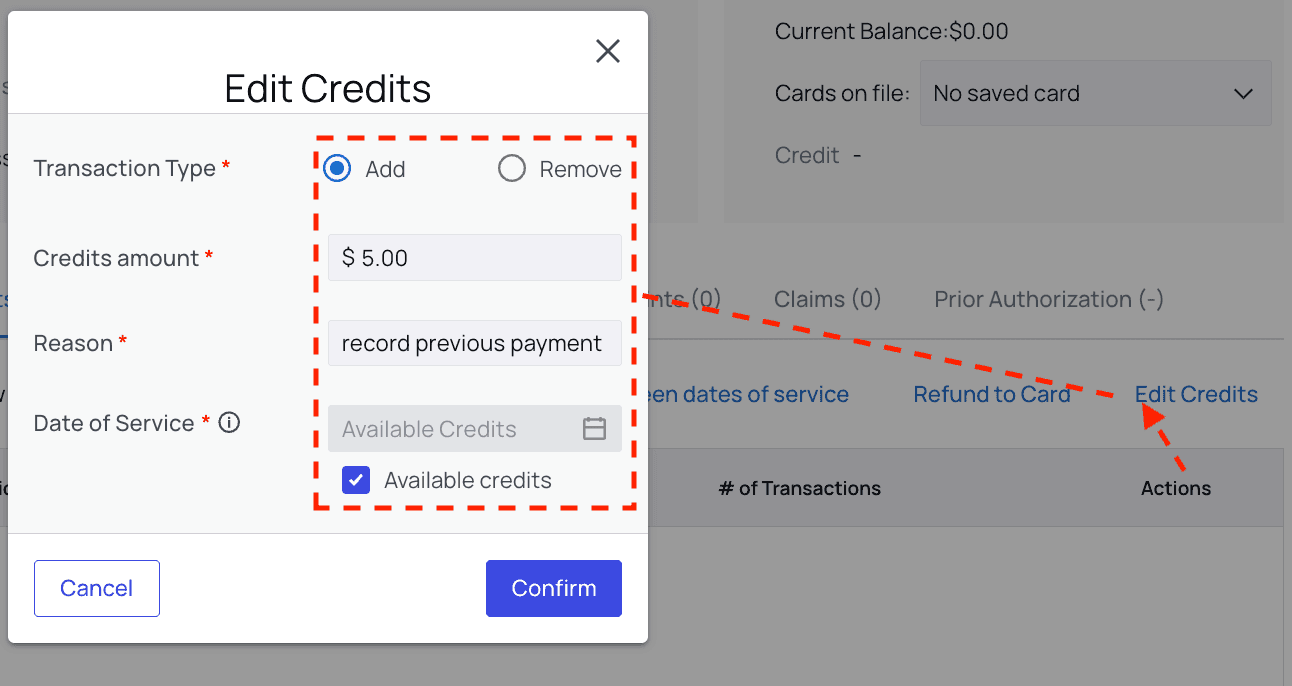
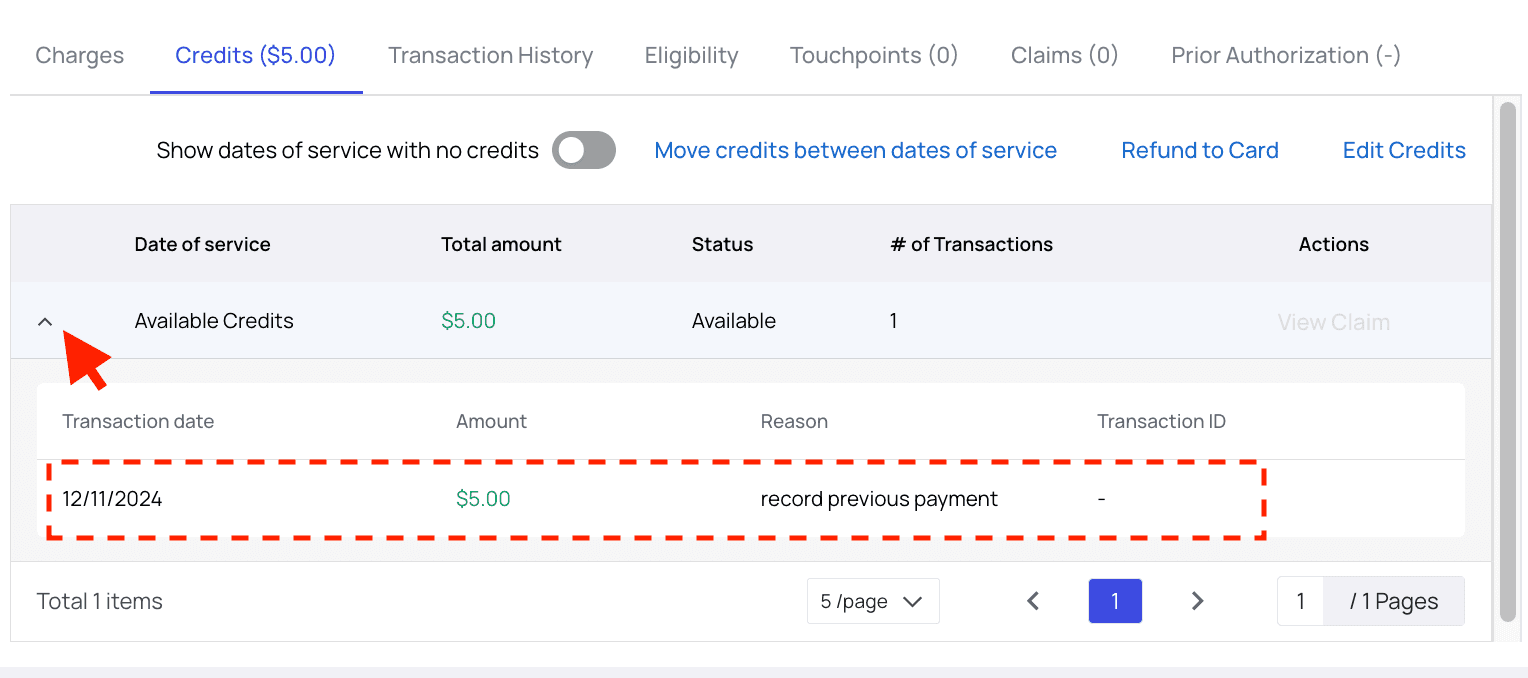
Available Credits so that you can use them now, and they’re not tied to a date of service.
+Miscellaneous Charge.
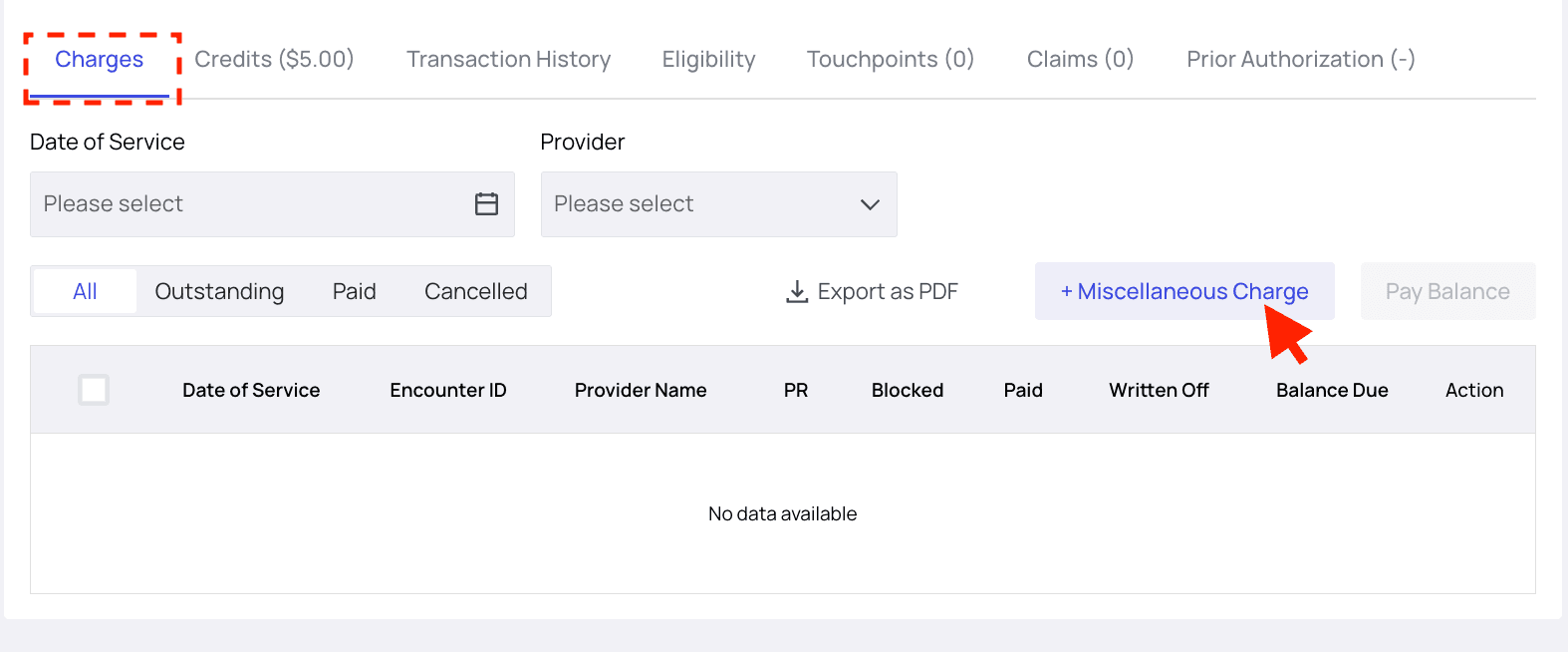
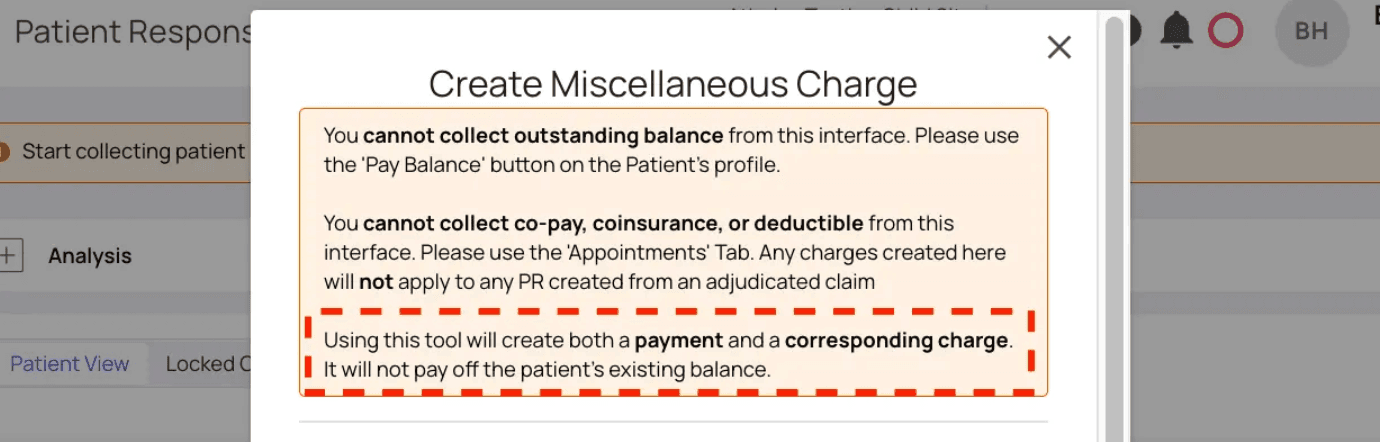
Here’s a walkthrough on how to do that. Feel free to skip ahead if you’ve already set this up.
- Navigate to PR Settings. You’ll land on the ‘General’ tab by default.
- Scroll down to the ‘Custom Payment Types’ section.

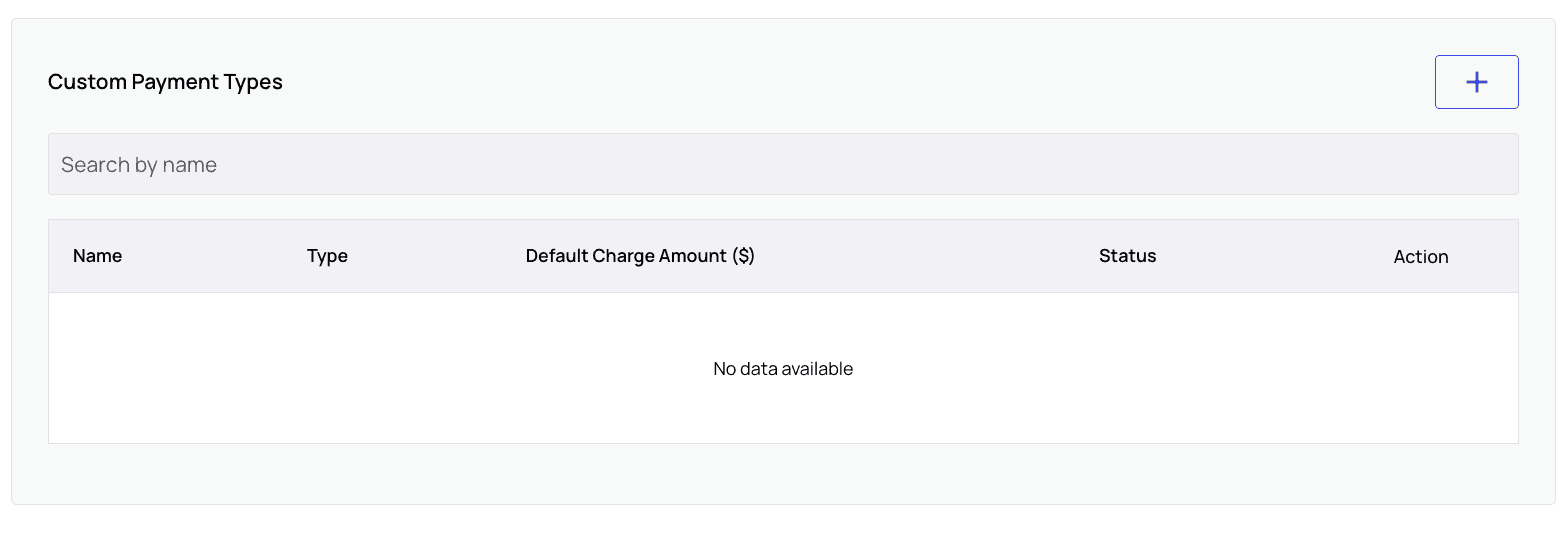
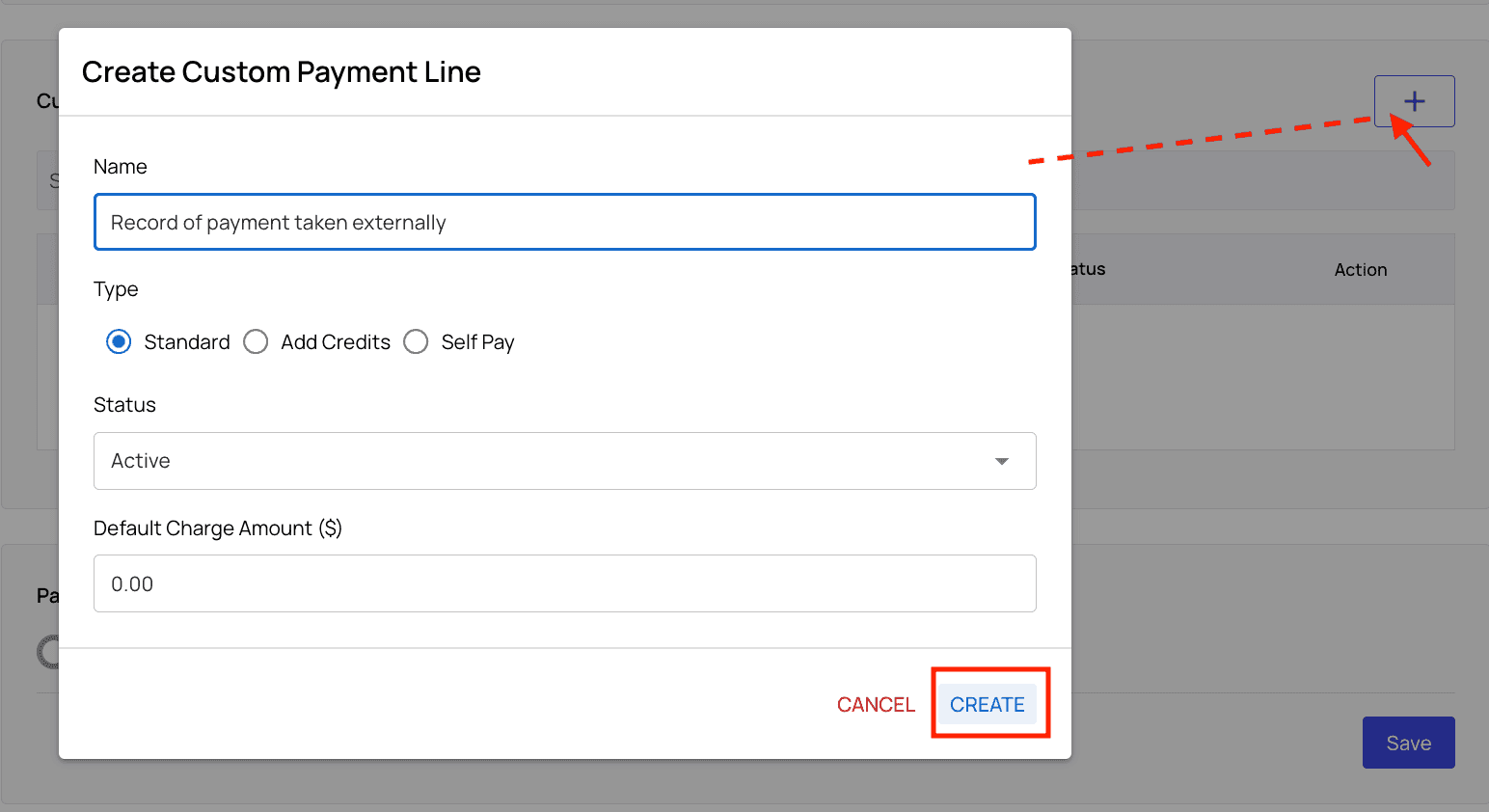
- Click the
+to create a custom payment line. - Enter a name like ‘Record of payment taken externally,’ set the Type to ‘Standard,’ and leave the default charge amount at 0. Click
Create.
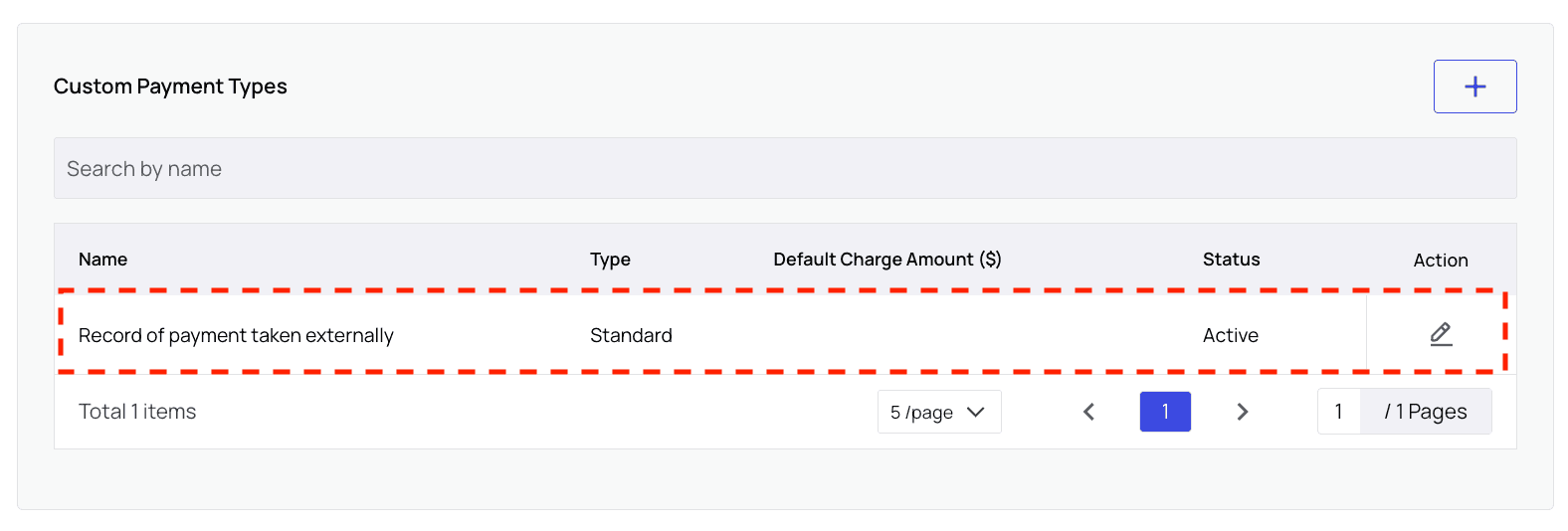
- You can see your new line item in the list in PR Settings.
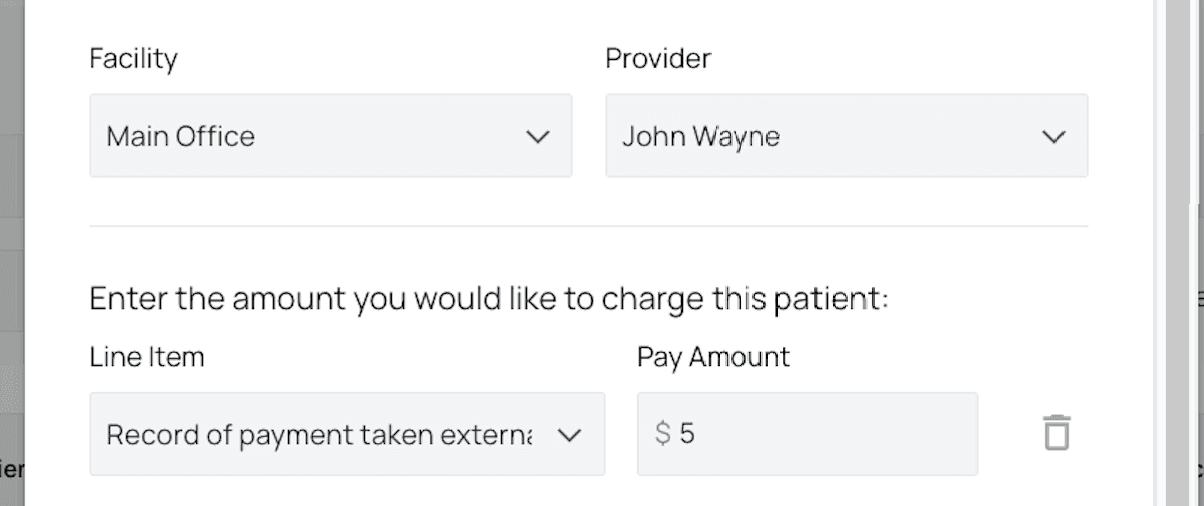
Miscellaneous Charge modal.
If you already have the line item described above, great!
Select it and enter the exact amount of credits you created in the ‘Pay Amount’ field.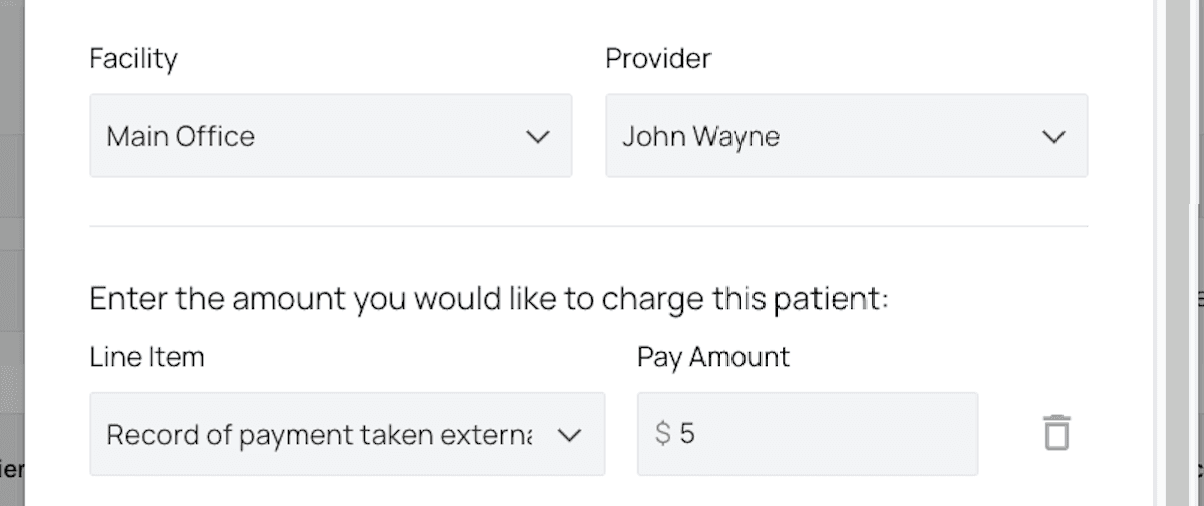
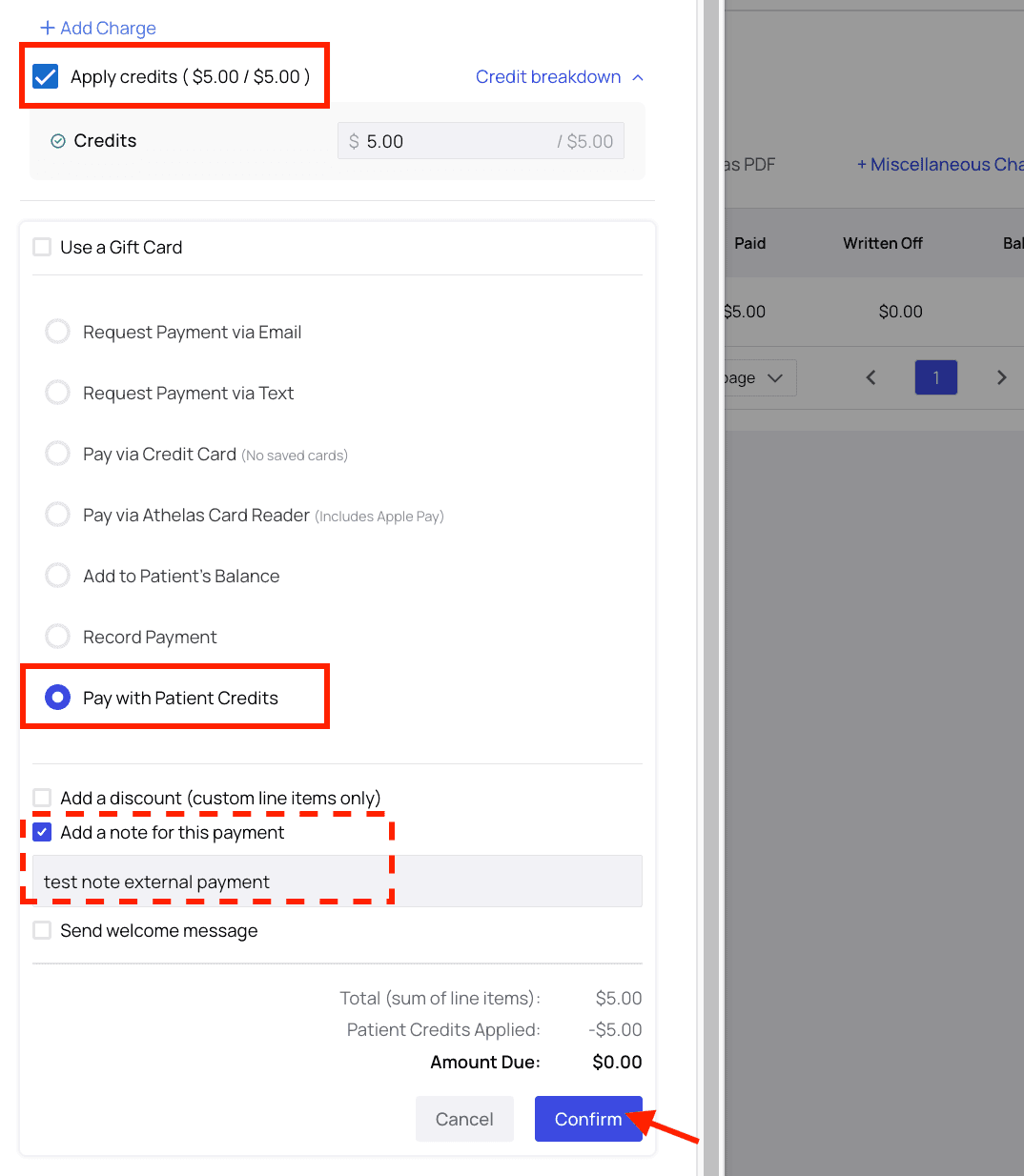
Apply Credits and the option to Pay with Patient Credits will select automatically.
You can add a note to this payment if you like.
Once everything looks correct, click Confirm.